Practical examples
Review baseball video: hitting, pitching, and practice comparisons
BaseballDraw is available for iPhone and iPad. It supports hands-on review of hitting and pitching video with drawing, frame stepping, pose overlays, and comparison. A useful review starts with a steady camera and a specific question.
Inspect a hitting checkpoint
Record or import a clip with the player fully visible. Step through the movement to the moment you want to review, then add a line or angle as a visual reference. Compare nearby frames before deciding whether the checkpoint is consistent. The angle of the camera affects what a drawing appears to measure.
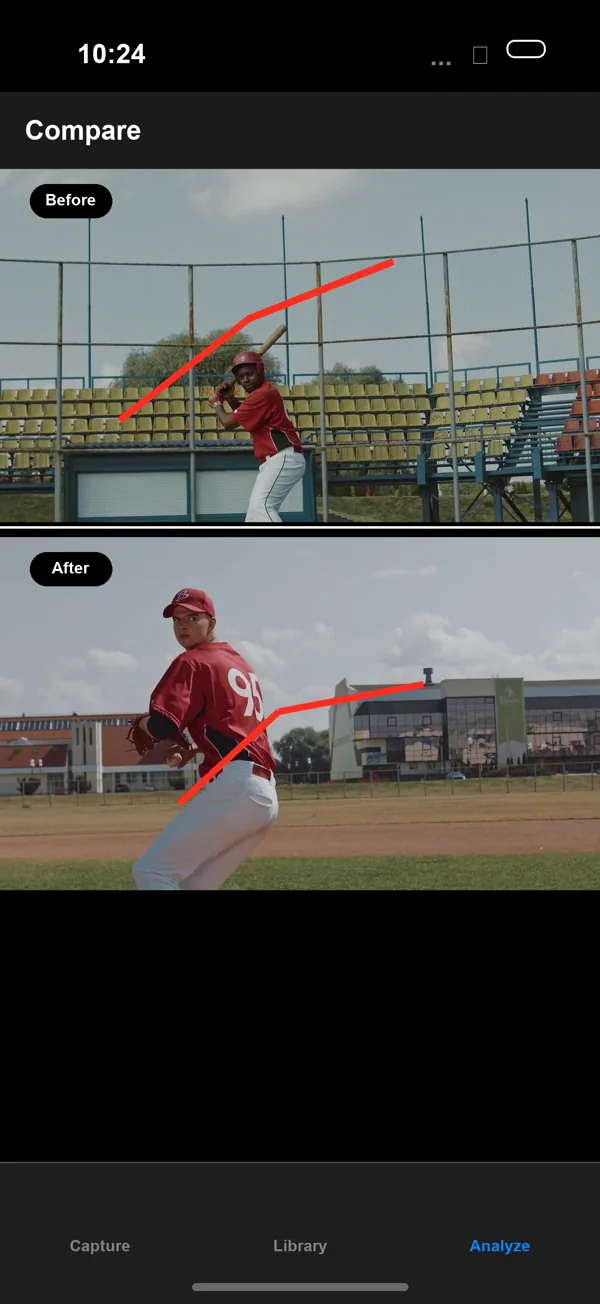
Compare two pitching clips
Choose videos with similar framing and camera placement. Align the same phase in side-by-side comparison and examine one visible checkpoint at a time. Pose overlays can help orient the review, but check them against the actual player. A phone video does not by itself establish pitch speed, spin, or injury risk.
Keep a useful practice record
Add notes and tags that describe the session and the question you were testing. Compare against an earlier clip after another practice, using the same recording setup where possible. Export a focused annotated clip or still when you want feedback, and inspect the exported file before sending it.
Access and device requirements
$7.99 one-time App Store purchase (U.S. price). No subscription, in-app purchases, ads, or account; every feature is included. Apple shows the local price before purchase. No free tier or trial.
iPhone and iPad; requires iOS or iPadOS 18.0 or later
View on the App Store Scan with your iPhone