Review the swing you actually recorded.
Turn a batting-cage or field video into a clear conversation about one part of your swing. BaseballDraw gives players, parents, and coaches frame controls, drawing tools, and clip comparison on iPhone and iPad.
Start with a useful hitting clip
Record in the app or import from Photos. Keep the whole hitter, bat, and follow-through visible from a safe camera position. A steady side view helps you inspect changes in posture and head position. Use the recording guide to keep the setup consistent between sessions.
Find contact, then inspect the frames around it
In hitting mode, slow playback and step one frame at a time. Look for the first frame where contact is visible, then check the frames immediately before and after it. You are reviewing what the video captured; the app cannot recover motion that happened between recorded frames.
Make one checkpoint visible
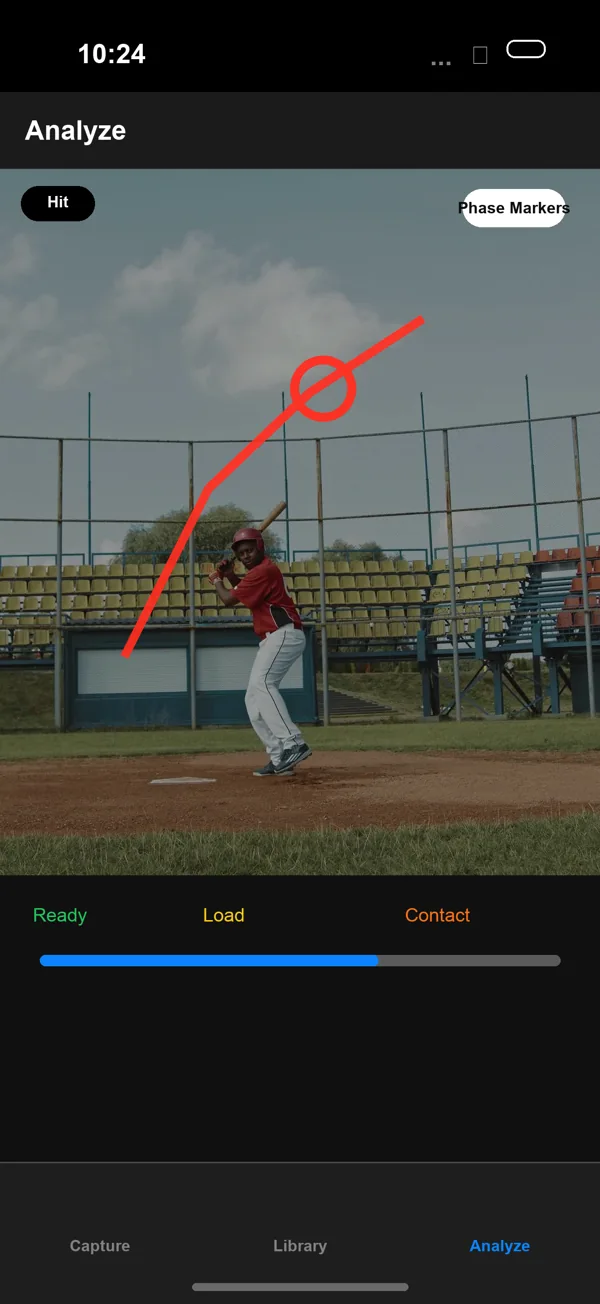
Draw a line beside the starting head position or mark the front-foot position. Move through the clip and compare the visible movement with your reference. Body overlays provide another visual aid; check the joints against the underlying video. See how to draw on a baseball video.
Compare two sessions at the same phase
Open two clips in comparison, then align the same movement phase using each clip’s controls. Similar camera height, distance, and angle make the comparison useful. A different camera position can look like a different swing. Read the swing comparison guide.
Share a question your coach can answer
Save an annotated photo or video. Include the drill and one question, such as “Does my head move forward between stride and contact?” Notes and tags help you find the clip after your next practice. Your videos stay on your device unless you choose to share them.
One payment, every tool
$7.99 once on the App Store (U.S. price). No subscription, no in-app purchases, no ads, and no account. Every feature is included, and Apple shows your local price before you buy. See pricing details or compare baseball video apps.
What this app does not measure
BaseballDraw is a visual review tool, not a bat sensor or automatic coaching diagnosis. It does not report bat speed, exit velocity, or a three-dimensional swing plane. If your question is about those measurements, use appropriate measurement hardware.
Also working on your delivery?
Use the pitching video analysis workflow for foot strike, release, and comparisons between bullpen sessions.